How to Use TradingView to Optimize Your Prop Firm Performance
For many traders, especially those working with prop firms like The5ers, having the right tools to analyze markets and execute strategies is crucial. Among all the charting and analysis platforms available, TradingView has emerged as one of the most popular due to its intuitive interface, powerful features, and extensive community.
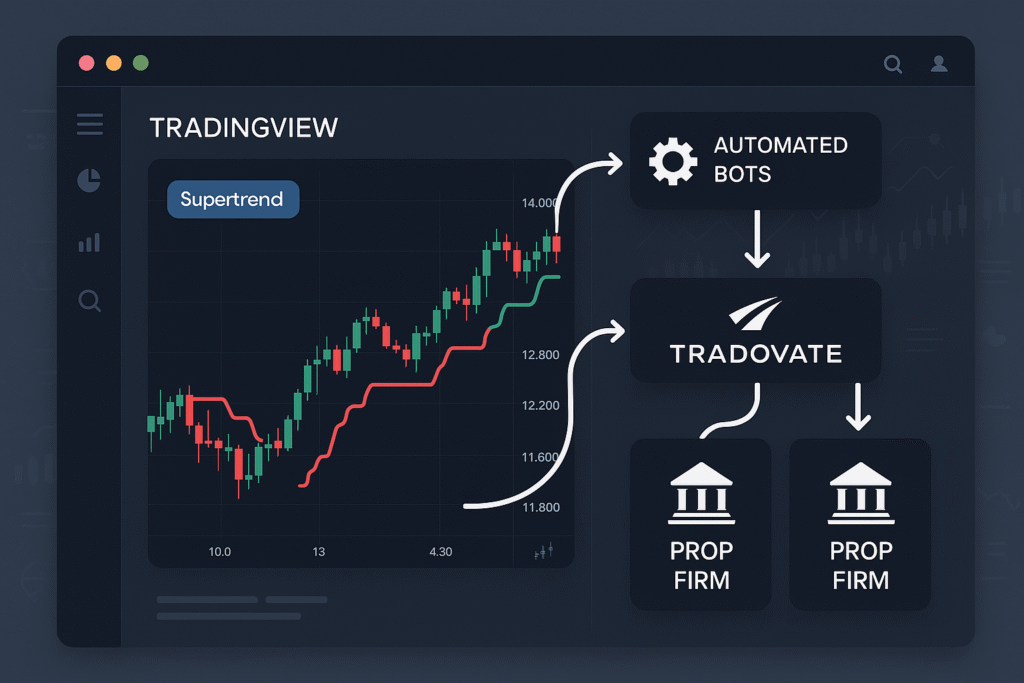
This guide will show you how to leverage TradingView to improve your performance as a prop firm trader, covering everything from chart setup to advanced tools that can help you stay disciplined and consistent.
1. Why TradingView Is Essential for Prop Firm Traders
Trading for a prop firm requires not only skill but also efficiency and precision. Here’s why TradingView stands out as a valuable tool:
-
✅ User-Friendly Interface – Easy to navigate for both beginners and experienced traders.
-
✅ Cloud-Based Access – Trade from anywhere on any device with your personalized chart settings saved.
-
✅ Advanced Charting Tools – Includes dozens of indicators, drawing tools, and customizable layouts.
-
✅ Real-Time Data – Keeps you updated on price movements across forex, commodities, and indices.
-
✅ Built-In Community – Access strategies, scripts, and discussions shared by millions of traders.
For prop firm traders aiming to meet strict performance targets and risk limits, TradingView offers the flexibility and precision needed to excel.
2. Setting Up Your TradingView Account for Prop Trading
Before diving into analysis, setting up your TradingView account properly ensures you can focus on trading without distractions.
Step 1: Create a TradingView Account
Sign up for a free account to explore its basic features. Consider upgrading to a paid plan if you need additional chart layouts, more indicators per chart, or faster data feeds—useful for professional prop traders.
Step 2: Customize Your Chart Layout
-
Choose your preferred chart type (candlestick charts are standard for forex traders).
-
Adjust timeframes based on your trading style—M15 or H1 for day traders, H4 or D1 for swing traders.
-
Save your layouts so you can quickly switch between setups for different markets.
Step 3: Add Your Favorite Indicators
Start with essential indicators like Moving Averages, RSI, ATR, or Bollinger Bands. Avoid overloading your chart—two to three indicators combined with price action are typically enough for prop trading.
Step 4: Use Multiple Watchlists
Organize currency pairs by category (e.g., Majors, Minors, Exotics) or by strategy (e.g., Trend, Breakout). This helps you quickly find opportunities without scanning random charts.
3. Leveraging TradingView Tools for Better Performance
TradingView’s built-in tools can significantly enhance your trading efficiency:
a) Drawing Tools for Technical Analysis
-
Trendlines & Channels: Identify key support and resistance levels.
-
Fibonacci Retracement: Spot pullback levels within trends.
-
Rectangles: Highlight zones of consolidation or supply and demand.
Properly drawn levels give you clearer entry and exit points—critical for maintaining risk discipline in prop accounts.
b) Alerts for Timely Decision-Making
Set price alerts to notify you when a pair reaches a key level or when an indicator triggers a signal. This reduces screen time and helps avoid emotional overtrading.
c) Multi-Timeframe Analysis
TradingView makes it easy to switch between timeframes. For example:
-
Use H4 or D1 charts for trend confirmation.
-
Use M15 or H1 charts for precise entries.
This approach balances accuracy with context—vital for meeting profit targets without unnecessary risk.
d) Pine Script for Custom Indicators
For advanced users, Pine Script allows you to create custom indicators or modify existing ones to fit your strategy. This is particularly helpful for traders developing proprietary strategies to meet prop firm evaluations.
e) Replay Mode for Backtesting
TradingView’s Bar Replay lets you go back in time and simulate trades in historical conditions. Backtesting strategies builds confidence before risking capital in live prop firm accounts.
4. Using TradingView to Improve Risk Management
Risk management is a cornerstone of prop firm success. TradingView supports this with:
-
📏 Position Size Calculator: Use community scripts or tools to calculate optimal lot sizes.
-
📉 ATR Indicator: Determine appropriate stop-loss levels based on volatility.
-
🎯 Visual Stop-Loss/Take-Profit Lines: Drag and adjust directly on the chart for clarity.
By planning each trade visually, you can stick to prop firm rules and avoid costly mistakes.
5. Tips for Staying Disciplined with TradingView
Discipline is often the biggest challenge for prop traders. TradingView can help you stay on track:
-
✅ Create a Checklist Template in your notes panel to review before each trade.
-
✅ Use alerts to avoid staring at charts for hours, reducing emotional fatigue.
-
✅ Save and review screenshots of your trades to learn from both wins and losses.
-
✅ Stick to your predefined watchlist to avoid impulsive trades on unfamiliar pairs.
6. Integrating TradingView with Prop Firm Accounts
Many prop traders use TradingView for analysis while executing trades on MT4, MT5, or cTrader. Here’s how to make the workflow seamless:
-
Analyze markets and find setups in TradingView.
-
Confirm signals using multi-timeframe analysis and indicators.
-
Execute the trade on your prop firm’s trading platform.
-
Track and log the trade details in your TradingView notes or an external journal.
This approach keeps analysis and execution organized, minimizing errors.
7. Common Mistakes to Avoid
-
❌ Overloading with Indicators: Keep charts clean to avoid confusion.
-
❌ Ignoring Backtesting: Always test strategies using replay mode or historical data.
-
❌ Trading Without Alerts: Missing setups can lead to impulsive late entries.
-
❌ Not Saving Layouts: Losing custom setups wastes valuable analysis time.
8. Future of TradingView in 2025 and Beyond
In 2025, TradingView continues to roll out features like AI-powered signals, enhanced order flow tools, and integrations with more brokers for direct trading. Prop traders who stay updated with these features can gain an edge in efficiency and execution.
9. Final Thoughts
TradingView is more than just a charting tool—it’s a comprehensive platform that can transform how you plan, analyze, and execute trades. For prop firm traders, it provides the structure and resources to stay consistent under strict performance rules.
By mastering its charting tools, alerts, risk management features, and backtesting capabilities, you can optimize your trading process, reduce stress, and improve your chances of passing evaluations and scaling up with firms like The5ers.
Consistency comes from preparation—and TradingView is one of the best platforms to help you achieve it.


Comments
Post a Comment